Managing Data Collection Tiles (Work Dashboards)
The Data Collection tile displays the data collections the current user can use, based on Access Level (set by administrator; for more information, please see Editing Users) and process responsibility (set by user; for more information, please see Selecting My Processes). When you add requirements to the data collection (for more information, please see Creating Data Collection Requirements), which establishes a timing window for the collection to occur, Enact only displays the data collection with timer during this window, hiding the data collection without timer. Enact always displays the data collection without timer in the maximized View All page (for more information, please see Viewing All Data Collections).
-
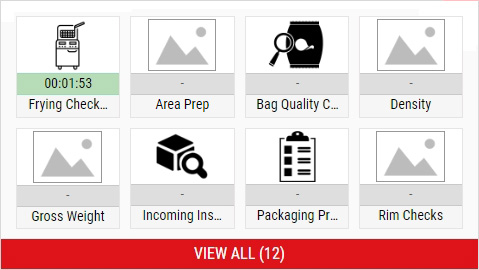
-
In the Data Collection tile, you can do the following:
- Opening Data Collections
- Pausing Timed Data Collections
-
 Viewing All Data Collections
Using this procedure, you will view all of the data collections that you can access, and not just the data collections for which you are responsible.
-
In the Data Collection tile, select View All (#).
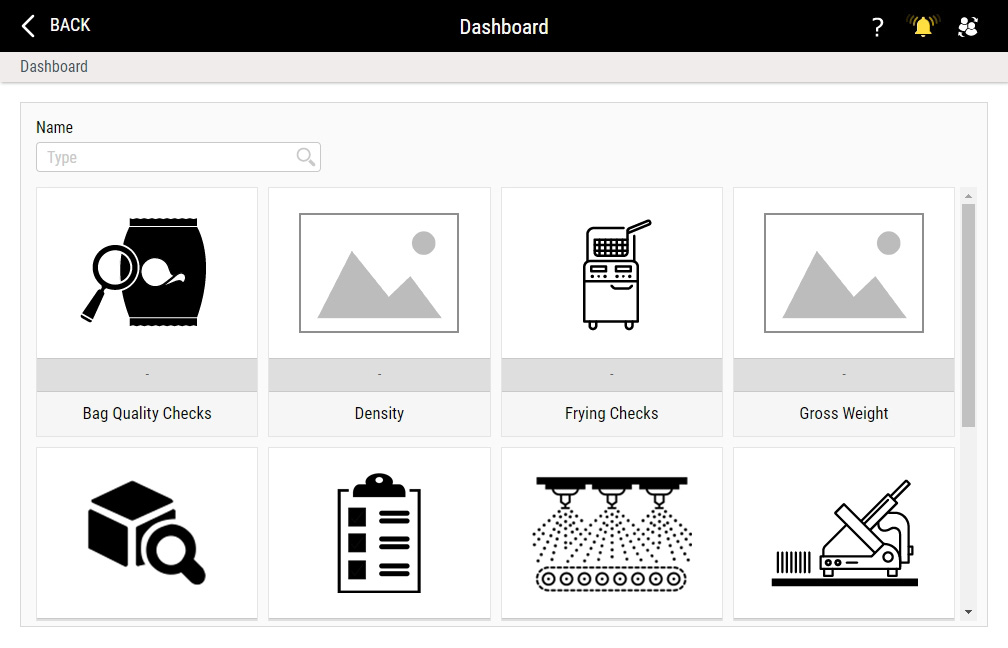
-
In the Data Collections landing page, select the desired data collection. Hint
-