Configuring Thermoworks Device
To Configure a Thermoworks device:
-
Download and install ThermaData Studio from the Thermoworks website.
-
Use a USB cable to connect your Thermoworks WiFi device to your computer.
-
Launch the ThermaData Studio software.
-
Connect the Thermoworks device to the WiFi network.
-
From the ThermaData tab, select Instrument Settings.
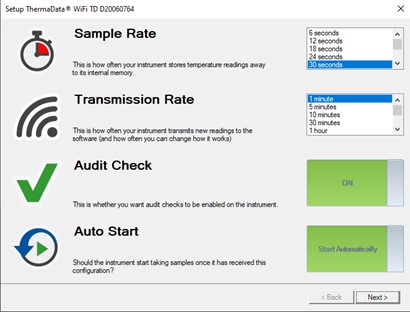
The Setup ThermaData WiFi [Instrument Name] dialog box appears with options to configure the Sampling Rate and Transmission Rate of the device.
-
Set the desired values.
-
Select Next.
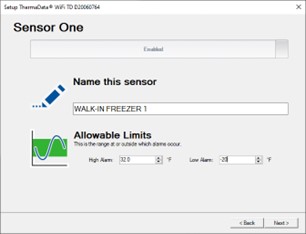
The Setup ThermaData WiFi [Instrument Name] Sensor One dialog appears.
-
Enter a suitable name for the device in Name this sensor.
This is transmitted to DMS with the logged measurement values.
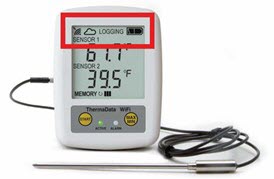
Once the configuration is successful, your device displays a WiFi icon along with a Cloud icon indicating that DMS can reach the device.