Adding New Thermoworks WiFi Provider to Data Management System
To add a new Thermoworks WiFi provider to DMS:
-
Navigate to Start > Infinity QS Data Management System.
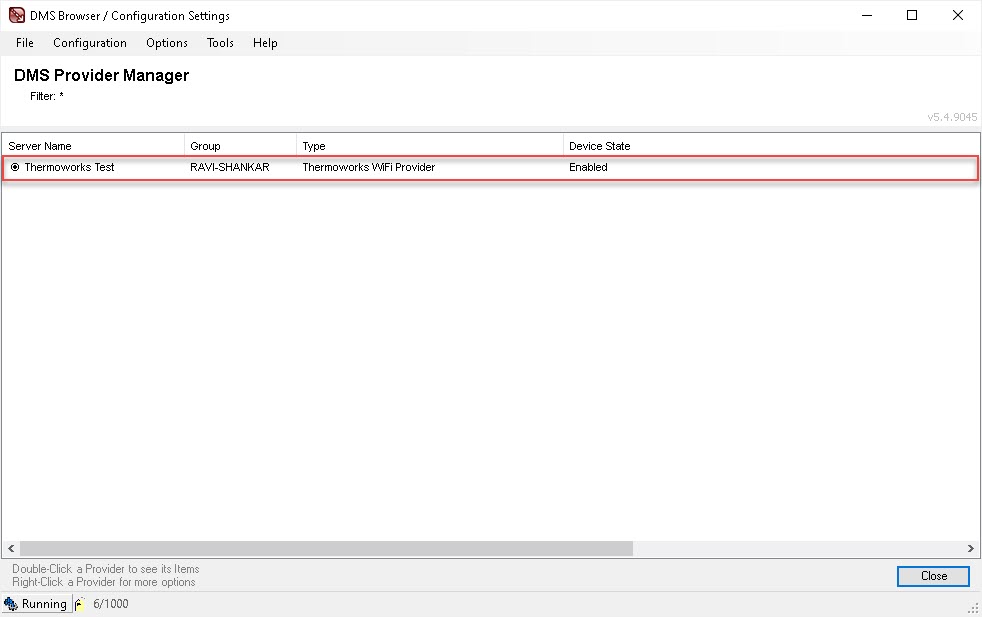
The DMS Provider Manager appears.
-
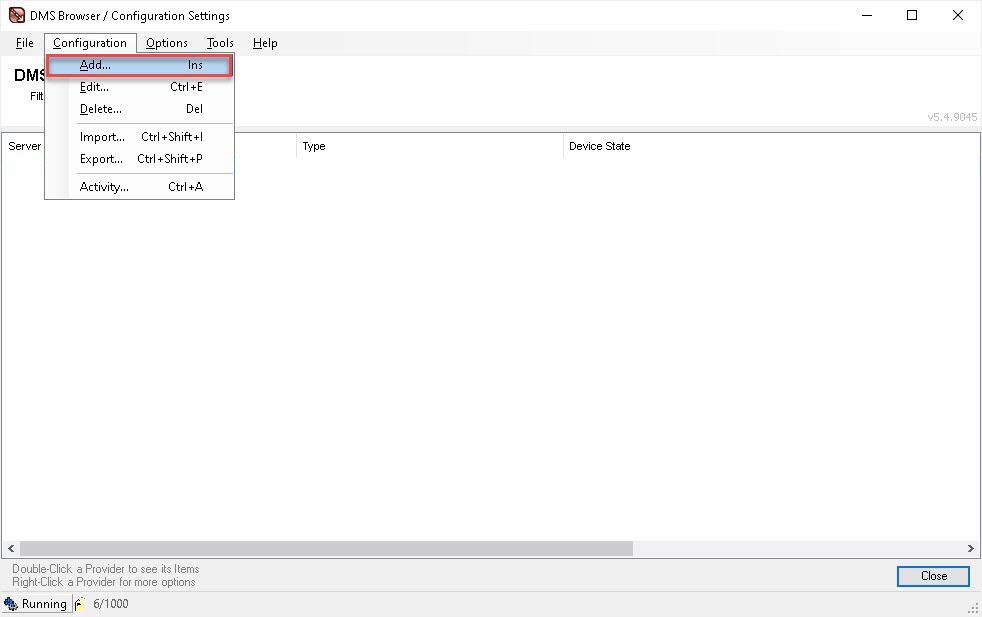
Navigate to Configuration > Add to open t
he Providers dialog.
-
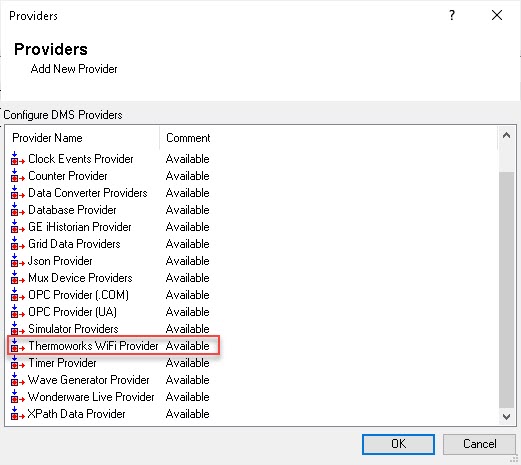
Select Thermoworks WiFi Provider under Configure DMS Providers.
-
Select OK.
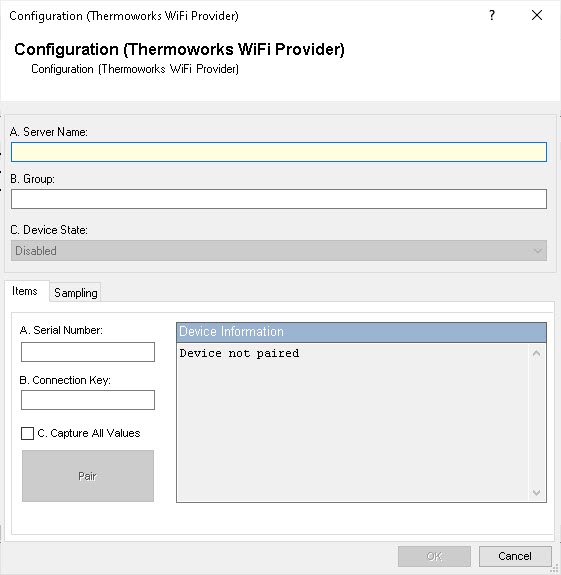
The Configuration (Thermoworks WiFi Provider) dialog opens to the Items tab.
-
Enter an appropriate Server Name. For demonstration purposes, we are going to use Thermoworks Test as the server name.
-
Enter an appropriate Group name.
-
Select a Device State of Enabled.
-
Select OK to save the details.
The Thermoworks WiFi provider is added to the DMS and appears in the DMS Provider Manager.