Configuring Other Options for JSON Queries
To configure other options for Json queries:
-
Navigate to Start > Infinity QS Data Management System.
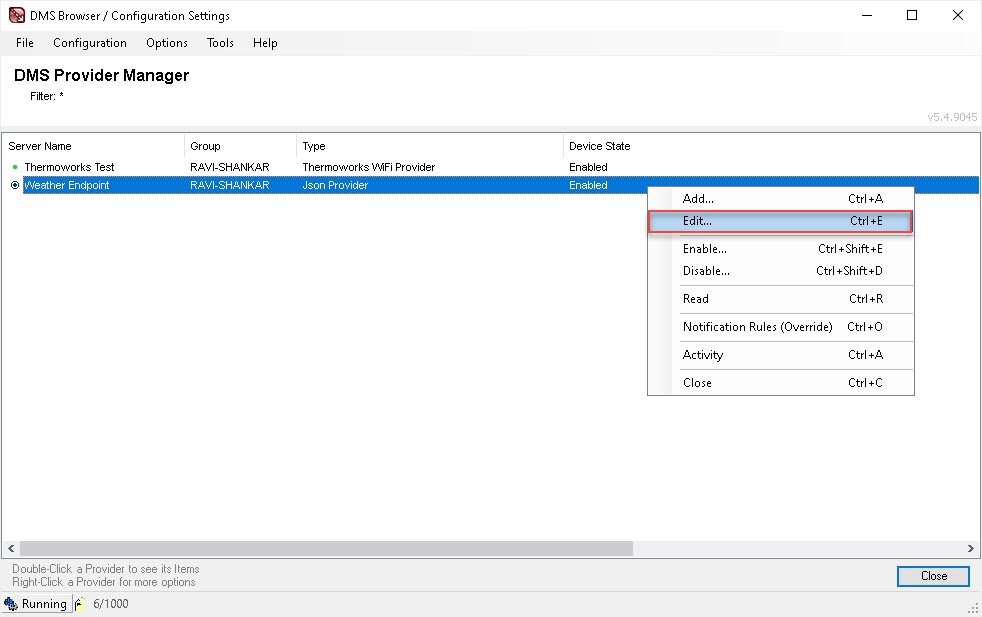
The DMS Provider Manager appears.
-
Right-click the Json Provider you wish to modify and select Edit from the context menu. (Alternatively, select the Json Provider and press Ctrl-E.)
The Configuration (Json Provider) dialog appears. The Items tab displays one or more queries to be executed against the data returned by the selected Json Provider.

-
Select Options.

-
(Optional) Select Publish New Values Only to receive records only when there are new values.
-
Select OK to save the configuration. The DMS Service will run the query.