Configuring DMS Sampling Strategy
To configure the DMS sampling settings:
-
Navigate to Start > Infinity QS Data Management System.
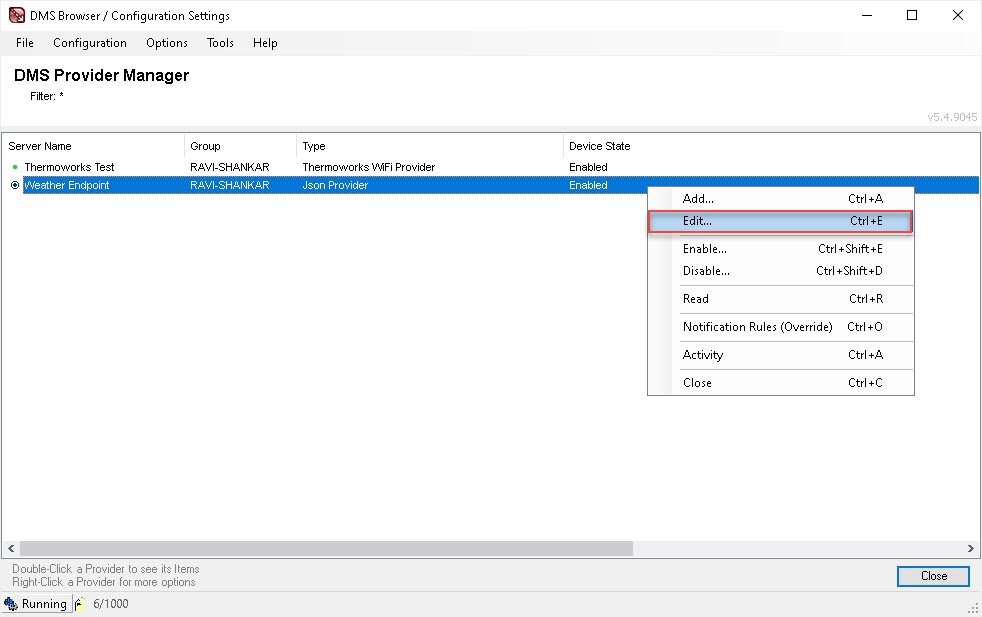
The DMS Provider Manager appears.
-
Right-click the JSON provider you wish to modify and select Edit from the context menu. (Alternatively, select the JSON provider and press Ctrl-E.)
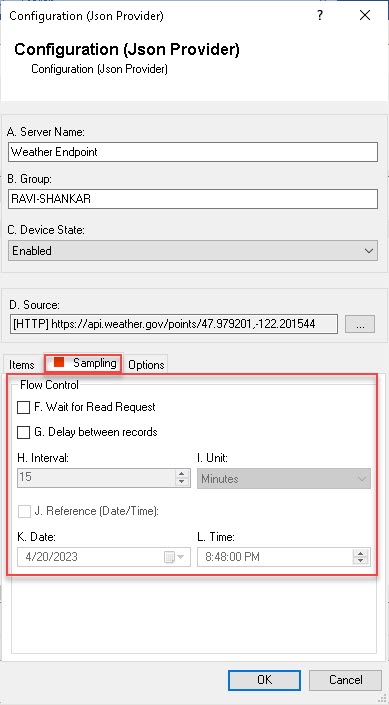
The Configuration (Json Provider) dialog appears.

-
Select Sampling
.
-
(Optional) Select F. Wait for Read Request to receive record immediately following a read request from a DMS consumer.
If this option is not selected, read requests are ignored.
-
(Optional) Select G. Delay between records to receive records only after the specified Interval.
-
Select OK to save the configuration. The DMS Service runs the query.