The Bridge Provider enables connections to a remote computer's DMS via TCP/IP, allowing you to access the providers and their items on that remote computer as though they were local.
Understanding Bridge Provider
InfinityQS identifies three situations where you might need the Bridge Provider, as follows:
-
OPC/DCOM Access. Even with complex DCOM settings and rigorous security policies, you can still access a remote OPC server with the following configuration:
- Run one licensed DMS on your OPC server, collecting data using the OPC provider.
- Run a second licensed DMS on another computer and, using the Bridge Provider, collect the OPC items via TCP/IP.
- DMS Data Monitoring. You can remotely monitor the raw DMS data, allowing you to view or chart that data on your local computer.
- Granularity. By setting up the Bridge Provider on the computer where data collection and consumption occurs, you can monitor data remotely without inadvertently modifying the data, maintaining control at the point of collection.
Bridge Provider Requirements
In order for you to configure the Bridge Provider, you must do the following:
- Identify the IP address of the remote computer. Because the Bridge Provider does not perform DNS lookup, the remote computer must have a static (non-changing) IP address.
- Open port 8085 on the remote computer.
- Install latest version of DMS (fully licensed) on the remote computer.
When adding or modifying a Bridge Provider, the Configuration (Bridge Provider) dialog box opens.
-
To configure the Bridge Provider, do the following:
-
 Identification Section
In the identification section, you can set the unique name, the provider group, and device state.
- In the Server Name data field, type the Bridge Provider identification name using a maximum of 32 characters. Ensure the name is unique and descriptive.
- In the Group data field, type the group name.
- In the Device State drop-down list, click the desired state (Disabled or Enabled).
-
Connection Section
In the connection section, set the IP address for the remote computer.
-
In the Bridge Provider dialog box, locate the connection section.

-
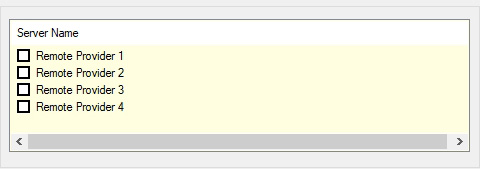
In the IP Address data field, type the IP address of the remote computer running DMS, and then click the Connect button. If successful, the Bridge Provider dialog box displays the available providers under Server Name.
-
-
Subscription Section
In the subscription section, manage the remote providers.
-
In the Bridge Provider dialog box, locate the subscription section.
-
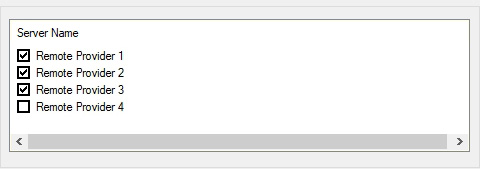
Under Server Name, click to check the desired remote providers.
-
In the Bridge Provider dialog box, locate the subscription section.
-
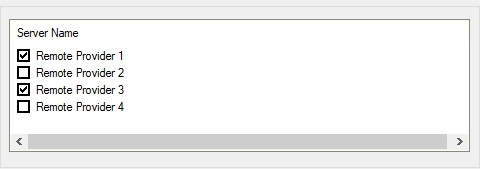
Under Server Name, click to uncheck the remote provider.
Adding Remote Providers
Removing Remote Providers
-
-
- Click the OK button.