Descriptors
Parts
- Select Access Menu and then select Part | Parts.
-
In the Parts landing page, select Create Part.
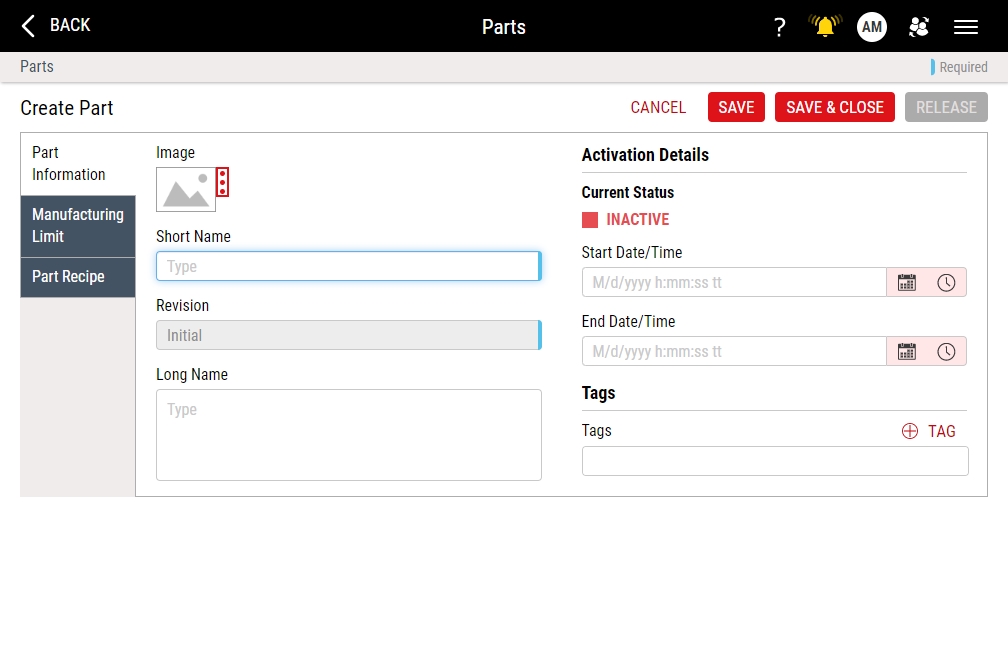
- In the Short Name data field, type Wheel - C9 Mini.
- In the Image section, select More, select Upload Image, browse to Part-C9MiniWheel.png, and then select Open.
- Select Save & Close.


Processes
- Select Access Menu and then select Process | Processes.
-
In the Processes landing page, select Create Process.
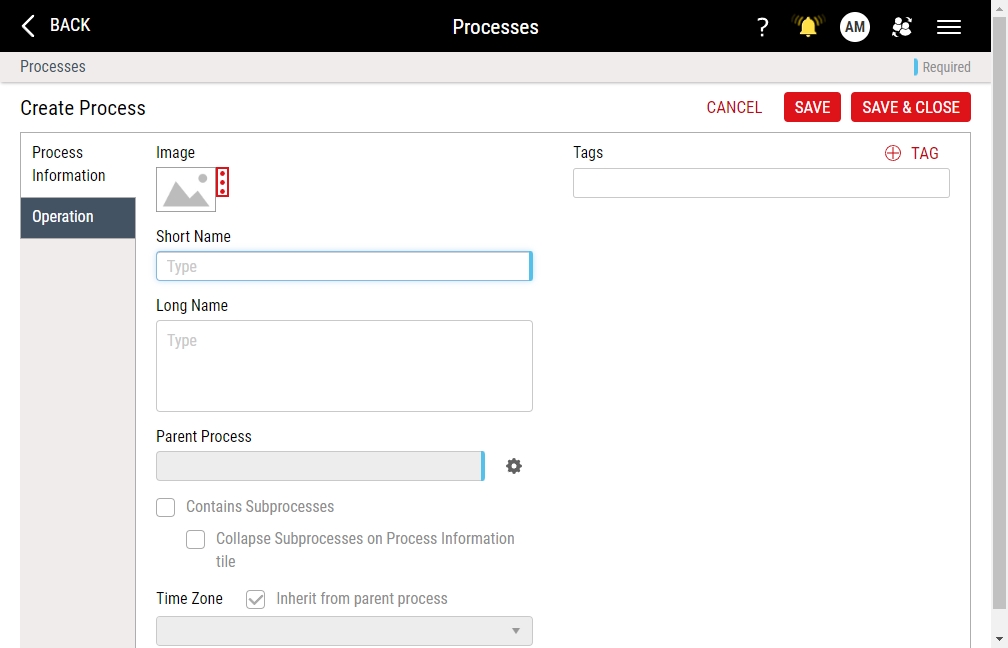
- In the Short Name data field, type Sub-Assembly Station 001.
- In the Image section, select More, select Upload Image, browse to Process-WheelAssemblyC9.png, and then select Open.
- In the Parent Process data field, select Parent Process, select Process Unit, and then select Save.
- Select Save & Close.

My Processes
- Select User Settings and then select My Processes.
- In the My Processes dialog box, select Sub-Assembly Station 001, and then select Save.

Features
- Select Access Menu and then select Feature | Features.
-
In the Features landing page, select Create Feature.
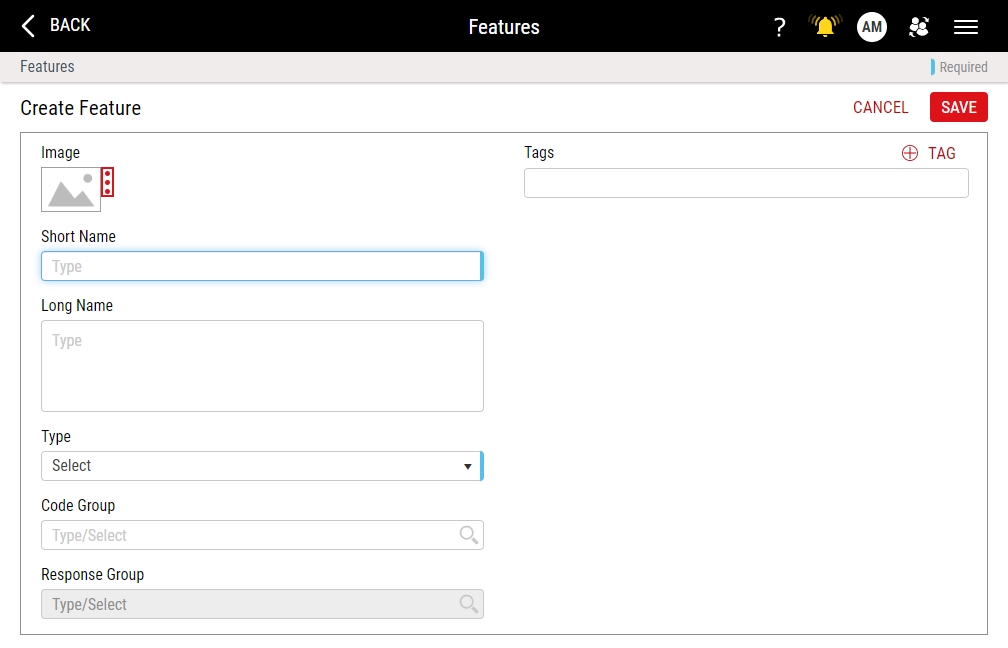
- In the Short Name data field, type Wheel Diameter.
- In the Image section, select More, select Upload Image, browse to Feature-WheelDiameter.png, and then select Open.
- In the Type drop-down list, select Variable.
- Select Save.

Next Step: Specification Limits