Excluding Unmapped Missed Data Collection Events
To exclude one or more unmapped missed data collection events from contributing to compliance analysis data, perform the following:
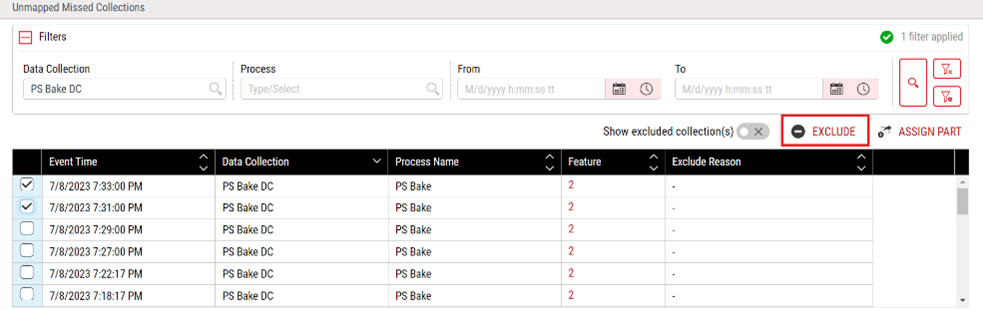
- Select Access Menu and then select Data Collection | Unmapped Missed Collection. The Unmapped Missed Collections page appears, displaying a list of unmapped missed events along with information such as Event Time, Data Collection name, Process Name, Feature, and Exclude Reason.
-
Filter the list, as desired. To do this, you select filtering criteria and click the Search button (the red magnifying glass on the right). You can filter by Data Collection, Process Name, Process State, or Event Time.
You can view all the excluded collections by selecting the Show excluded collection(s) toggle.
- In the list of unmapped missed collections, if you want to select all the collections shown, check the checkbox at the top of the list's left column. Otherwise, select the relevant event(s).
- Click Exclude.

- Enter the reason for exclusion in the Exclude Reason text box.
- Click Save.
